Technical & maker · Digital hobbies
Microcontroller projects
A microcontroller is a whole computer for a few pounds, with pins that read and switch things directly. That combination — trivially cheap, immediately physical — makes it the most accessible route into making there is, and the reason so many other hobbies now have a board in them somewhere. This page is about the platform decision and the shape of a project, which is what survives the churn, rather than about any specific board.
Also known as arduino, raspberry pi pico, embedded projects, microcontroller programming.
A microcontroller is a complete small computer on one chip, with pins that connect directly to the physical world. It has no operating system and does one program forever, starting the instant it gets power — which is exactly what you want for a thing that watches a sensor and switches something. That is the whole idea, and everything else is detail.
The distinction worth learning early is between a microcontroller and a single-board computer. A microcontroller runs one program with precise timing and starts in milliseconds; a single-board computer runs an operating system, does many things at once, and is the right answer when you need a network stack, a screen or a filesystem. Choosing wrongly is the commonest architectural mistake in the hobby and it is usually made in the direction of too much computer.
The shape of a project is almost always the same: read something, decide something, change something. A sensor, a rule, an output. Once that loop is working the rest is elaboration — and the honest observation is that most of the learning happens in the first three or four projects, after which the hobby becomes a component of other hobbies rather than a destination.
- A capable board costs
- £4–£15
- The shape of every project
- Read, decide, change
- The common wrong turn
- Too much computer
- Where it usually ends up
- Inside another hobby
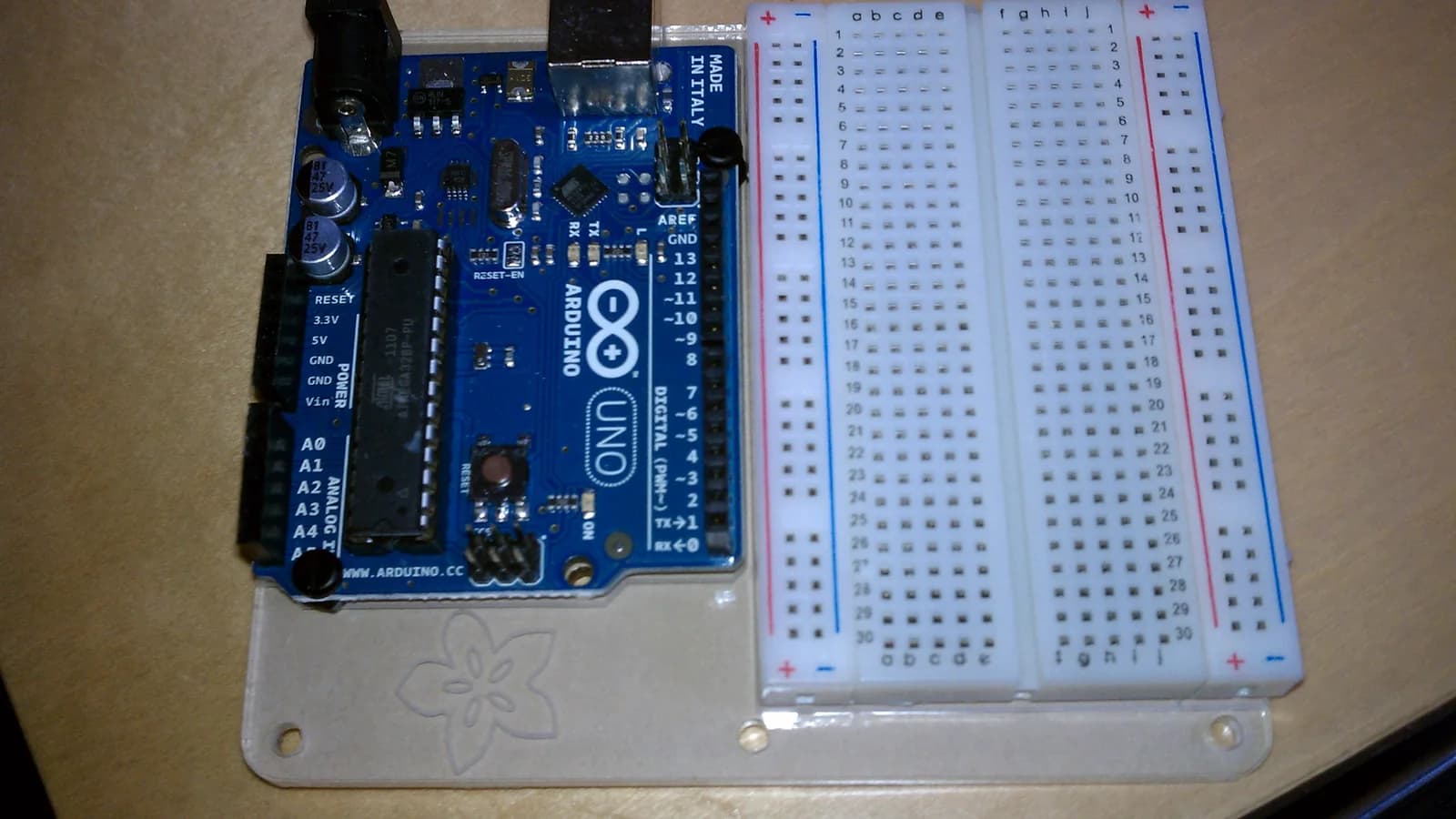
Step 1: Buy a board, a breadboard and a bag of LEDs
Under £30 all in, from one order. Do not buy a kit containing ninety components you cannot name; buy the four things you will use this week.
You will know it worked when: You own a board and can power it from a USB port.
Step 2: Blink one LED, and understand every line
The canonical first program, and the temptation is to skip it because it is trivial. Do not — it exercises the whole chain from editor to chip, and when a later project fails it is the known-good baseline you fall back to.
You will know it worked when: Something you wrote is running on hardware you are holding.
Step 3: Read a button, and meet debouncing
A button does not produce one clean press; it produces a burst of contacts as the metal settles. Discovering that, and fixing it, is the moment the hobby stops being magic and becomes engineering.
You will know it worked when: One press registers once.
Step 4: Close the loop with a sensor
Read something from the world, decide something, change an output. This is the shape of every project you will ever build, and having it working once means every future project is a variation rather than a mystery.
You will know it worked when: The device does something without you touching it.
Step 5: Build one thing that leaves the bench
A device that does a real job somewhere in your house, powered from a real supply and, ideally, in an enclosure. This is the step that separates people who have done tutorials from people who have made something, and it is where all the unglamorous problems live.
You will know it worked when: Something you built is in use, unattended.
Step 6: Only then learn to solder
When breadboard wires falling out becomes the limiting factor. With extraction, and on something you do not mind ruining first.
You will know it worked when: A permanent version of something that already worked.
- A board, chosen for its ecosystem — What matters is not the chip but how much beginner-facing material exists and whether the community answers questions kindly. The two dominant hobbyist families both qualify comfortably and either is a fine first choice; picking either and starting beats a fortnight of comparison, because the concepts transfer almost completely and switching later is cheap.
- A breadboard and jumper leads — Solderless prototyping, which is what makes this hobby forgiving: everything is reversible and nothing is committed. Get more jumper leads than seems reasonable — they are the consumable and they go missing.
- LEDs, resistors and buttons — The unglamorous starter set, and genuinely where the first month goes. An LED that lights when you meant it to is a complete education in output, and a button that reads reliably is a complete education in input, including the debouncing problem nobody warns you about.
- Two sensors, not twelve — Temperature and something that detects motion or distance. The instinct is to buy an assortment pack; the result is a drawer of modules with no projects attached. Buy a sensor when a project needs it.
- A multimeter — The tool that turns guessing into measuring, and the point at which debugging becomes possible rather than mystical. £20–£60 and it will outlast everything else on the bench.
- A soldering iron, later and with extraction — Needed only when a project graduates from breadboard to permanent. Temperature-controlled, because a cheap uncontrolled iron makes intermittently failing joints, which is the worst class of fault to chase. Buy the fume extractor at the same time.
- What can wait indefinitely — An oscilloscope, a bench power supply, a logic analyser, a soldering rework station, and any assortment pack of anything. All are genuinely useful eventually and none of them is what stands between you and a first working project.
- Work it out — Metric thread and tapping drill reference
- It worked and now it does not, and nothing changed — Something changed. A breadboard connection has lifted, a jumper is in the next hole, or a USB cable is charge-only. Check the physical layer before the code, always — this is the single most common time sink in the hobby.
- The board resets whenever the motor runs — A brownout: the motor is pulling the supply below what the chip needs. Separate the supplies, and add decoupling. It presents as a software fault and is not one.
- Readings are noisy or drift — Usually a floating input, a missing pull-up resistor, or a shared ground that is not actually shared. The last one catches everybody once: two supplies with no common ground do not produce a working circuit.
- One press registers as three — Contact bounce, and it is universal rather than a defect in your button. Fixed in software with a short ignore window or in hardware with a capacitor.
- The upload fails — Port, driver, or a cable that only carries power. A charge-only USB cable has cost more collective hours in this hobby than any genuine fault.
- It works on USB and not on batteries — Voltage. A board fed from a USB port has a regulated supply and a battery pack usually does not, so the thing that ran fine at a desk browns out in the field.
And the ordinary things, which are about equipment rather than people:
- Mains is a different hobby — Switching anything that plugs into a wall is electrical work with real consequences, and a relay module does not change that. Use ready-made mains-rated switching hardware, or keep the project on low voltage — which is where essentially everything worth building lives anyway.
- Motors need their own supply — Not a safety point but the commonest way a board is destroyed: a pin switches a signal, not power, and a motor connected directly to one takes the board with it.
- Reverse polarity kills boards silently — Most cheap boards have no protection. A moment checking which way round the supply goes saves the commonest kind of dead board.
- Eyes, when snipping component legs — Trimmed leads travel at surprising speed. The one place safety glasses earn their keep on a bench like this.
- Microcontrolleralso: MCU
- A complete small computer on one chip with pins that connect to the physical world. No operating system, one program, starts instantly.
- Single-board computeralso: SBC
- A small computer running a full operating system. The right answer when you need networking, a screen or a filesystem, and the wrong one when you need precise timing.
- GPIO
- General-purpose input/output — the pins you connect things to, each of which can read a signal or drive one.
- Breadboard
- A solderless prototyping board with sprung contacts. What makes this hobby forgiving, because nothing is committed and everything is reversible.
- Pull-up and pull-down resistor
- A resistor holding an input at a known level when nothing is driving it. Without one an input floats and reads randomly, which is the classic mystifying fault.
- Debouncing
- Ignoring the burst of contacts a mechanical switch makes as it settles, so one press registers once. Universal rather than a defect.
- PWM
- Pulse-width modulation — switching an output on and off fast so the average is what you want. How brightness, motor speed and servo position are actually controlled.
- I2C and SPI
- The two common ways a board talks to a module over a few wires. Which one a sensor uses is a specification to check before buying, not a preference.
- Brownout
- The supply sagging low enough to reset the chip, characteristically when a motor starts. Presents as a software fault and is a power design issue.
- Sketch or firmware
- The single program a microcontroller runs. Unlike an application it does not stop, and there is nothing underneath it to fall back to.
- Buying a kit with ninety components — It looks like value and produces a drawer. Buy four things you will use this week; buy a sensor when a project needs one.
- Choosing a single-board computer for a job a microcontroller does — The commonest architectural error, and it is always in the direction of too much computer. An operating system is a liability when what you need is a pin that changes state reliably.
- Skipping the blinking LED — It is trivial and it is the known-good baseline every later debugging session falls back to.
- Powering a motor from a board pin — A pin switches a signal, not power. This is how first boards die.
- Debugging the code before checking the wiring — The physical layer fails far more often than the program does, and it fails intermittently, which is what makes it convincing.
- Soldering without extraction because it is only occasional — Sensitisation accumulates and does not reverse. The extractor costs less than the iron.
- Never finishing anything — Tutorials produce competence and nothing else. One device left running unattended teaches more than ten breadboards taken apart.
The one rule that applies the moment your project transmits
Microcontroller projects have no governing body and no competition rules. They do have a legal condition that most people building with radio modules have never read, and one widely repeated claim about it that is wrong.
- The duty, stated by the regulator — Ofcom puts it plainly in the foreword to the document that governs this: "It is required by the Wireless Telegraphy Act 2006 that no radio equipment is installed or used in the UK except under the authority of a licence granted by or otherwise exempted by regulations made by Ofcom." Almost everything a hobbyist uses is exempt rather than licensed — but exemption is conditional, and the condition is that the equipment "must meet the minimum requirements specified in this UK Interface Requirement for the stated equipment types and for the stated frequency bands".
- Why a CE or UKCA mark on the module is not the whole answer — The mark says the product may lawfully be placed on the market. The interface requirement is about how it is used, in which band and at what power — and a module that is compliant as sold can be configured, in software, to operate outside the exemption. On a development board, changing the band and the transmit power is two lines of code.
- The four bands hobby projects actually land in — 2400–2483.5 MHz is where Wi-Fi and Bluetooth sit, at 100 mW for wideband data, or 10 mW for non-specific use. 868–869.7 MHz is the European short-range band at 25 mW e.r.p. 433.05 MHz upwards carries the cheap remote-control and sensor modules at 10 mW e.r.p. with a duty cycle limit. And 915–918 MHz is exempt at 25 mW e.r.p., again with a duty cycle limit.
- The 915 MHz claim, corrected — It is repeated constantly in maker communities that the 915 MHz LoRa modules sold for North America are simply illegal in Britain. That is not what the document says, and the true position is more useful. The UK exemption does cover 915–918 MHz — but at 25 mW with a duty cycle limit, where the North American profile a module ships on typically spans 902–928 MHz at considerably higher power. The band overlaps; the conditions do not. A module left on its factory US setting will be operating outside the exemption at both edges of the band and above its power limit, which is a different and more precise problem than "the frequency is banned".
- What is not covered here at all — Amateur radio, which is a licensed activity with its own examinations and privileges and is not what this page is about. Anything you intend to sell, which brings the Radio Equipment Regulations and conformity assessment into it. And antenna design, transmit power measurement and how to establish that a given build actually complies — which are engineering questions this page has no basis to answer.
Sources for this section
- UK Interface Requirement (IR) 2030 — Licence exempt Short Range Devices (opens in a new tab) — Ofcom · Governing body · read — supports the claim
- Data logging and environmental sensing — The natural first real project: measure something over weeks and look at the numbers. Cheap, genuinely useful, and it teaches storage, timing and power in one go.
- Custom input devices — Keypads, macro pads, MIDI controllers, game controllers. A board that presents itself as a USB device opens a large and satisfying category.
- Wearables and e-textiles — Conductive thread, sewable boards and small batteries. A genuinely different discipline that meets textiles rather than electronics, and one where the constraints do the design.
- Retro and emulation projects — Reproducing or interfacing with old hardware, which is where a microcontroller's precise timing matters in a way a full computer cannot easily match.
- Robotics, which owns the moving half — Once a project drives motors and senses its way around, it is robotics and that page covers it properly — drivetrains, control loops, and the branches from line followers to combat machines. This page stops where that one starts.
- Home automation, which owns the house — A board reporting to a hub is home automation, and that page covers the hub decision, the local-versus-cloud question and the electrical boundary. Again, this page does not restate it.
- Still deciding — Home automation vs microcontroller projects
Open by default, and the etiquette of asking
The reason a beginner can build anything at all here is that an enormous number of people published their work for nothing, and the community’s conventions are almost all about protecting that.
This hobby exists in its current form because of a deliberate cultural choice made by other people: open-source hardware designs, permissively licensed libraries, published schematics, and a vast body of tutorials written by hobbyists with nothing to sell. Nearly everything a beginner touches — the board, the library that drives the sensor, the wiring diagram — was given away. The norms below follow from that.
- Credit and licence, even for a shed project — If you publish a project built on somebody’s library, you say whose it is and you respect the licence. It costs a line in a README and it is the entire mechanism by which the commons keeps working. The community is relaxed about almost everything and firm about this.
- Ask with a schematic, a photograph and what you already tried — The single most useful convention to learn. "It does not work" gets nothing; a wiring photograph, the code, the error, and the two things you have already eliminated gets a detailed answer within the hour. This reads as gatekeeping and is not — it is that electronics faults are almost impossible to diagnose from a description.
- Answer the beginner question you were asked last year — The reciprocity norm, and it is genuinely observed. Somebody two months ahead of you is often the best person to answer your question, and answering is how people move from consuming the commons to maintaining it.
- Clones are legitimate, and the etiquette is to buy an original occasionally — Open hardware means compatible boards are legal and cheap, and nobody is judged for using them — the licences permit exactly this. The convention, stated often and enforced by nobody, is that if a project ends up mattering to you, you buy something from the people who designed it.
- Publish the failure as well as the build — A strong norm in the maker community and an unusually valuable one. Write-ups that include the version that caught fire, the pin you shorted and the three weeks lost to a floating input save more people’s evenings than the clean final photograph does.
- Makerspaces have their own layer of this — If your route in is a hackspace rather than a kitchen table, expect induction before you touch anything with a motor, a culture of leaving tools better than you found them, and an expectation that you will eventually teach an induction yourself. Most run on volunteer labour and very thin margins, and they are frank about it.
The first stage is the loop: read, decide, change. It takes a handful of evenings and it is most of the conceptual content of the hobby — everything after it is a wider vocabulary rather than a new idea.
The second is making something permanent and leaving it running. Soldering, a supply that is not a laptop, an enclosure, and the discovery that a project which works on a bench for ten minutes is a different thing from one that works in a cupboard for six months. Power, reset behaviour and what happens after a crash all become real here, and this is the stage that separates the hobby from its tutorials.
After that it stops being a destination and becomes an ingredient. Most people who stay with it end up using boards inside something else — a telescope mount, a fermentation cabinet, a model railway, an instrument — and the depth they acquire is in that other subject. That is a completely legitimate end state and is worth saying, because the hobby is unusual in being most valuable when it disappears into something you already care about.
- Which board should I start with?
- Either of the two dominant hobbyist families, chosen in an afternoon rather than a fortnight. What matters is the volume of beginner-facing material and how the community treats beginners, not the chip specification — the concepts transfer almost completely and switching later costs very little. Spending two weeks comparing boards is the most common way to spend enthusiasm and produce nothing.
- What is the difference between this and a Raspberry Pi?
- A microcontroller runs one program with precise timing and starts in milliseconds; a single-board computer runs a full operating system and is a small computer. Use the microcontroller when you need a pin to change state reliably and predictably, and the computer when you need networking, a screen or a filesystem. The commonest architectural mistake in the hobby is reaching for the computer, and it is always in that direction.
- Do I need to know how to program?
- No, and this is one of the better ways to learn. The programs are short, the feedback is a light or a motor rather than a number, and block-based environments exist that are genuinely capable rather than merely educational. What helps more than prior programming is being willing to check the wiring before blaming the code, which is a habit rather than a skill.
- Do I need to solder?
- Not for months. Breadboards are solderless and everything on one is reversible, which is what makes the hobby forgiving. Soldering becomes necessary when a project graduates from the bench to permanent use, and when you do start, buy fume extraction at the same time as the iron — HSE describes rosin-based solder flux fume as a top cause of occupational asthma, and that is a sensitisation which does not reverse.
- Why does my project work on USB but not on batteries?
- Almost always voltage. A USB port supplies a regulated 5V and a battery pack does not — its voltage falls as it discharges, and a board that ran happily at a desk browns out in the field. Check what your board actually needs on its supply pin, and use a regulator rather than hoping. The same class of fault explains a board that resets whenever a motor starts.
- How is this different from robotics or home automation?
- Those are two of the places this goes, and both have their own pages that cover them properly. Robotics owns machines that sense and move — drivetrains, control loops, the branches from line followers to combat robots. Home automation owns the hub decision, the local-versus-cloud question and the electrical boundary. This page is about the board itself: the platform choice, the project shape, and the faults that eat a first year. It stops where those two start rather than restating them.
Guides
Longer answers to questions this page can only summarise.
If you like this
Each of these is here for a stated reason, not because it is also a hobby.
Progresses to
- Robotics — Where a board goes once it drives motors and senses its way around. Robotics owns the drivetrains and the control loops; this is the layer underneath them.
Goes well with
- 3D printing — Enclosures, brackets and the mount nobody sells. A printer is what turns a breadboard into something that can live in a cupboard.
- Home automation — A board reporting to a hub is home automation, and that page owns the hub decision and the electrical boundary. The two meet at the sensor and stay distinct either side of it.
- Hydroponics — Reservoir levels, pump timing and light cycles are exactly the sort of thing people automate, and the technical-maker half of hydroponics runs straight into this.
- Model railways — Signalling, point control and animation are where a great many boards quietly end up, and the layout gives the projects a purpose the bench cannot.
Shares equipment with
- FPV drone flying — A quad is a microcontroller with motors on it, and the soldering iron, the multimeter and the willingness to flash firmware are the same. A great many FPV pilots arrived from here.
Sources for this section
- Solderer — asthma and rosin-based solder flux fume (opens in a new tab) — Health and Safety Executive · Governing body · read — supports the claim
- E-bikes and e-scooters: fire safety advice (opens in a new tab) — London Fire Brigade · Institutional · read — partly supports
Comprehensive
Last reviewed 2026-08-16. Cost, time and difficulty figures on this page are HobbyHQ estimates — see how we work. Something here wrong or out of date? Tell us.