Technical & maker · Digital hobbies
3D printing
The machine is the cheap part now. What determines whether you enjoy this is whether you accept that a 3D printer is a tool that needs tuning rather than an appliance that produces objects — and that the first decision, resin or filament, is really a decision about where you are willing to put a machine and how you feel about solvents.
Also known as 3d printer, additive manufacturing, FDM printing, resin printing.
A 3D printer builds an object by depositing or curing material one thin layer at a time, following instructions generated from a digital model. That description covers two quite different domestic technologies which share almost nothing except the principle, and choosing between them is the first real decision.
The hobby divides into three activities that people weight very differently. There is making models, which is CAD and is a design skill. There is printing other people’s models, which is the majority of what happens and is a process skill. And there is maintaining and tuning the machine, which some people regard as an annoying tax and others regard as the actual hobby. It is worth being honest with yourself about which of those you want, because a machine that needs weekly attention is a delight to the third group and a disappointment to the second.
What has changed recently is reliability. A £200 printer bought today arrives largely calibrated, levels its own bed and will produce a good print out of the box, which was not true five years ago. The tuning knowledge below has moved from mandatory to useful — but it is still what you reach for the first time a print fails, and prints still fail.
- First decision
- Filament or resinReally a decision about where the machine lives and how you feel about solvents.
- Most common beginner failure
- The first layerAlmost everything that goes wrong goes wrong in the first two minutes.
- Cheapest useful upgrade
- A flexible build plate
- What it is genuinely good at
- Objects that do not exist to buyBrackets, jigs, spare parts, adapters — not replacing things you could order.
Step 1: Decide where the printer will live before buying it
It will run for hours, it is audible, and it wants stable temperature and no draughts. A draught across a printing bed causes warping. Resin additionally needs ventilation and a surface you do not mind contaminating. This constraint eliminates more options than the specification does.
You will know it worked when: A machine you can actually run without annoying the household.
Step 2: Buy a current mainstream filament printer with automatic bed levelling
The market moves fast and the sensible advice is generic: buy something current, popular and well supported rather than the cheapest. Automatic levelling and a flexible build plate remove the two most common beginner frustrations. A large user community matters more than a specification sheet, because your first failure will be answered by somebody who has had it.
You will know it worked when: A machine whose problems are already documented.
Step 3: Print the supplied test model first, unchanged
It has been sliced by the manufacturer for that machine on that filament. If it prints well, the machine is fine and everything after this is your settings. If it prints badly, you have a hardware problem to solve before you introduce any other variables.
You will know it worked when: A known-good baseline.
Step 4: Learn the slicer, not the printer
The slicer converts a model into machine instructions and it is where nearly all of your decisions live: layer height, infill, supports, orientation, temperature. Start from the built-in profile for your machine and material and change one thing at a time.
You will know it worked when: You can explain why a print came out the way it did.
Step 5: Print other people’s models for a month
Model repositories carry an enormous amount of pre-tested work. Printing them teaches orientation, supports and adhesion without also asking you to learn CAD. Check whether a model is licensed for what you intend to do with it, particularly if you plan to sell anything.
You will know it worked when: Process skill, before design skill.
Step 6: Then learn enough CAD to make a bracket
The hobby changes completely when you can make the thing that does not exist. Parametric CAD — where you specify dimensions and constraints rather than pushing shapes around — is the right family for functional parts, and free browser-based options are entirely adequate.
You will know it worked when: The printer becomes a way of solving problems rather than a way of printing files.
Step 7: Keep filament dry
Most filaments absorb moisture from the air, and wet filament prints badly in ways that look like machine faults: popping and hissing at the nozzle, stringing, weak layers, a rough surface. Sealed boxes with desiccant cost very little and solve a problem most beginners misdiagnose for months.
You will know it worked when: Fewer inexplicable failures.
The printer is most of it, and the accessories that matter are unglamorous. This list assumes filament; the resin additions are called out separately because they are not optional.
What you actually need:
- The printer — Current, mainstream, well supported, with automatic bed levelling and a flexible build plate. A large user base matters more than a specification sheet, because your first failure will already have been answered by somebody who had it.
- A flexible spring-steel build plate — Prints pop off by flexing the sheet rather than being prised off with a blade. It removes the most common actual injury in the hobby and the most common source of damaged plates. Often included; retrofit it if not.
- Filament, and somewhere dry to keep it — Start with PLA from a brand with consistent diameter. A sealed box with desiccant costs a few pounds and prevents a whole family of faults that look like machine problems.
- Spare nozzles — Brass nozzles are consumables and cost a pound or two. A hardened steel one is essential the moment you print anything filled with wood, metal or carbon fibre.
- Digital calipers — £12, and the difference between designing parts that fit and designing parts that nearly fit. The single most useful tool for anybody doing CAD.
- Deburring tool and side cutters — For removing supports and cleaning up edges. Flush cutters get into places a knife should not go.
- A slicer — Free, and where all your decisions live. Use the profile shipped for your machine as a baseline rather than starting from defaults.
- CAD software — Free browser-based parametric CAD is entirely adequate and is the right family for functional parts. Mesh sculpting tools are a different discipline suited to organic shapes.
Resin adds a non-negotiable set: nitrile gloves in quantity, isopropyl alcohol for washing, a wash and cure station or a working equivalent, a way to filter and store part-used resin, and somewhere ventilated to do all of it. Budget £80–£150 beyond the printer, and treat none of it as optional — the handling is the difference between a resin printer being a good purchase and a bad one.
- Work it out — Filament, weight and cost estimator
A slicer exposes hundreds of parameters and about six of them account for nearly all of the difference between a good print and a bad one.
- Layer height — How thick each layer is, typically 0.1–0.3mm on a 0.4mm nozzle. Halving it roughly doubles the print time and makes layer lines less visible; it does not make the part stronger. Use fine layers for display models and coarse layers for brackets.
- First layer settings — The most consequential group, because most failures happen here. A slightly slower first layer, a slightly hotter bed and a correct nozzle height account for the overwhelming majority of adhesion problems. If a print is going to fail, it usually fails in the first two minutes — watch them.
- Infill — The internal lattice, expressed as a percentage. The intuition that more is stronger is mostly wrong: strength comes far more from the number of perimeter walls than from infill density. 15–20% is plenty for most things, and going from 20% to 50% adds hours and little strength.
- Perimeters and walls — The solid outer shells. Increasing walls from two to four is a much better way to make a part stronger than raising infill, and it costs less time.
- Temperature — Nozzle and bed. Every filament, and every brand of the same filament, differs. A temperature tower — a test model printed at descending temperatures — settles it empirically in one print, which is more reliable than any published table.
- Supports — Scaffolding for overhangs. The rule of thumb is that overhangs steeper than about 45° from vertical need support, but the better move is usually to reorient the model so it needs less. Supports leave marks, take time and waste material.
- Print orientation — The most underrated setting, and free. Layer adhesion is weaker than the material itself, so a part is strongest across layers and weakest along them. Orient so that forces act across layer lines rather than trying to peel them apart, and a plastic bracket becomes several times stronger at no cost.
| Symptom | Usual cause | First thing to try |
|---|---|---|
| First layer will not stick | Nozzle too high, bed dirty, or bed too cool | Clean the plate with soap and water, then adjust Z offset |
| Print detaches part-way and warps up at corners | Draught, or bed too cool for the material | Close the door; add a brim; enclose for ABS |
| Fine strings between parts of the model | Retraction too low, or wet filament | Dry the filament first — it is more often this than settings |
| Layers visibly split apart | Printing too cold, or cooling too aggressively | Raise nozzle temperature in 5°C steps |
| Print stops mid-way with a smooth flat top | Filament ran out, jammed, or the spool snagged | Check the spool can turn freely |
| Ghosting or ringing after sharp corners | Frame vibration at speed | Slow down; tighten belts; check the machine is on something solid |
| Blobs and rough patches on one side | Oozing at layer change | Enable seam positioning; check retraction |
| Elephant foot — a splayed first layer | Nozzle too low or bed too hot | Small negative first-layer compensation |
| Resin print missing or hollow at the base | Insufficient bottom exposure or a failed raft | Increase bottom layer exposure time |
The diagnostic habit worth building: change one variable at a time and keep a note of what you changed. The failure modes above overlap enough that changing three settings at once and getting a good print teaches you nothing.
- Go deeper — First-layer problems in 3D printing
- Clean the build surface — Fingerprints are grease and grease prevents adhesion. Warm water and washing-up liquid, dried properly, beats isopropyl alcohol on textured plates.
- Change the nozzle — A brass nozzle is a consumable. Abrasive filaments — anything filled with wood, metal or carbon fibre — will wear one out within a spool or two, and a worn nozzle produces inconsistent extrusion that looks like a hundred other problems.
- Keep the belts tight and the rails clean — Loose belts cause ghosting and dimensional error. Dust on linear rails causes both noise and layer shifts.
- Store filament sealed with desiccant — Not optional for PETG, nylon or TPU, and beneficial for PLA. A sealed box costs a few pounds and prevents a whole family of misdiagnosed faults.
- Check the resin vat film — On a resin printer the FEP or nFEP film is a consumable that clouds and stretches. A failed film during a print is the messiest thing that happens in this hobby.
- Update firmware deliberately, not automatically — Firmware updates can reset calibration and occasionally change safety-relevant behaviour. Note your settings first.
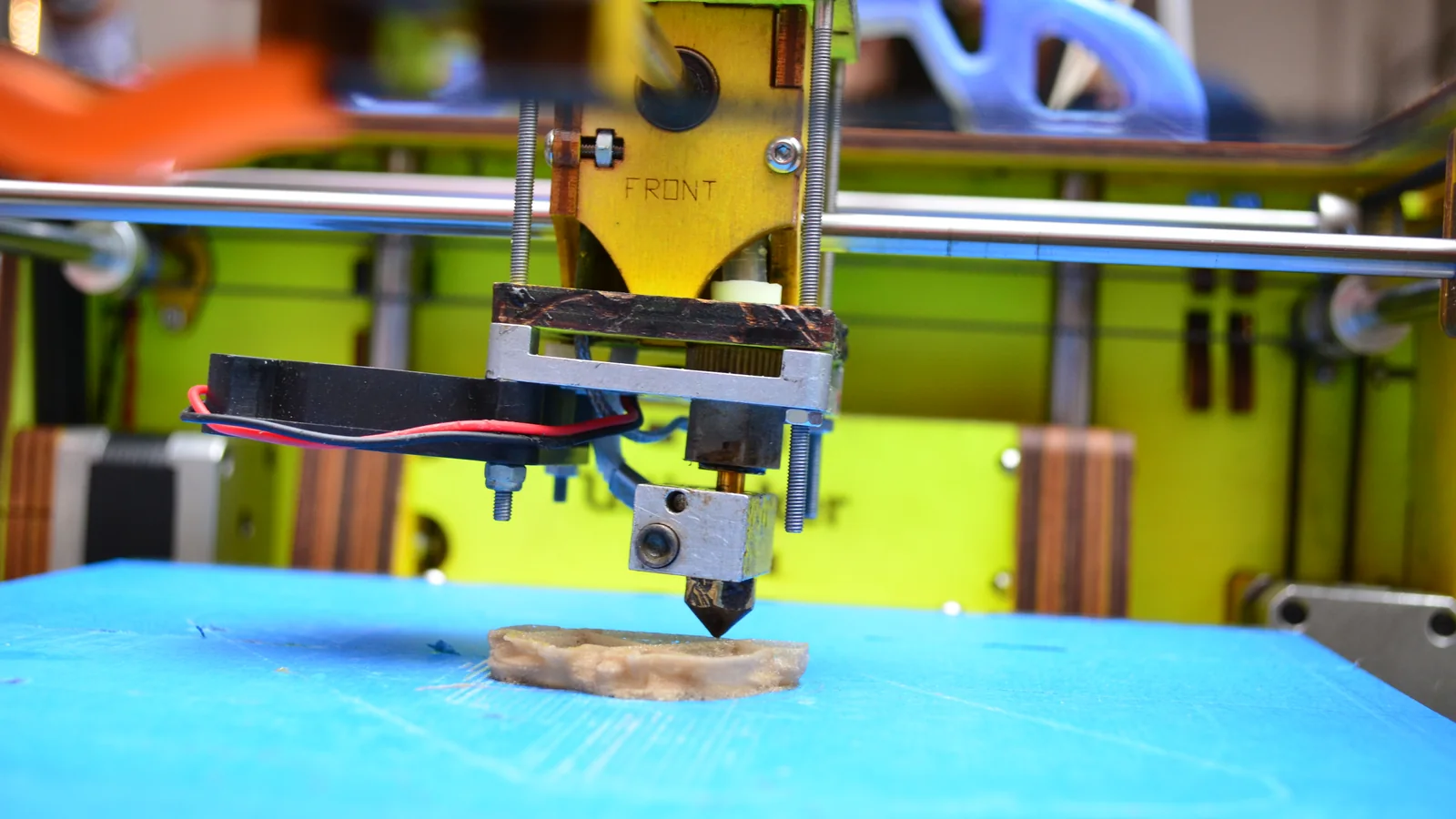
FDM — fused deposition modelling, also sold as FFF — melts a plastic filament and draws each layer with a moving nozzle. It is the technology most people mean by "a 3D printer".
Resin printing — MSLA in most consumer machines — cures liquid photopolymer with ultraviolet light through an LCD mask, a whole layer at a time. Far finer detail, and a genuinely different set of practical demands.
| Filament (FDM) | Resin (MSLA) | |
|---|---|---|
| Detail | Good; layer lines visible | Excellent; the reason miniature painters use it |
| Strength | Usable functional parts | More brittle; not for load-bearing parts |
| Size | Larger build volumes, cheaply | Small build volumes at consumer prices |
| Mess | Low — solid plastic in, solid plastic out | High — liquid resin, alcohol, gloves, waste |
| Ventilation | Advisable, especially for ABS | Required |
| Post-processing | Remove supports; done | Wash in alcohol, cure under UV, then supports |
| Running cost | £15–£25 per kg, and a kg lasts | £25–£40 per litre, and it goes fast |
| Where it can live | A spare room or a landing | A ventilated workshop or garage |
| Suits | Functional parts, brackets, prototypes, toys | Miniatures, jewellery, dental-grade detail |
For a first machine the honest answer is almost always filament, unless your entire reason for buying a printer is miniatures — in which case resin is so much better at that one job that the extra handling is worth it. Filament is more forgiving, cheaper to run, and does not require you to think about ventilation and waste disposal before you have printed anything.
The filament types you will actually meet:
- PLA — The default and the right first choice. Prints at low temperature, barely warps, needs no heated chamber, and is derived from plant starch. Its limitation is heat: a PLA part left in a car in summer will sag, so it is not the material for anything that lives outdoors or near an engine.
- PETG — Tougher, more temperature-resistant and more flexible than PLA, and the usual second material. Slightly stringier to print and more prone to sticking to the build plate harder than you want.
- ABS and ASA — Genuinely heat-resistant and impact-tough, and much harder to print — they warp badly without an enclosure and they smell strongly. ASA additionally tolerates sunlight, which ABS does not. Both want proper ventilation.
- TPU — Flexible, rubbery, excellent for phone cases and gaskets. Needs slow printing and a direct-drive extruder; a Bowden setup will struggle with it.
- Filled and specialist filaments — Wood-fill, carbon-fibre-filled, glow-in-the-dark. Most are abrasive and will chew a standard brass nozzle within a spool or two — a hardened steel nozzle is £8 and mandatory for these.
- Still deciding — 3D printing vs CNC routing
- Still deciding — Robotics vs 3D printing
- Still deciding — Mould and cast, or print each one
- Still deciding — Build the kit, or print the parts
- Buying before deciding where it goes — A printer runs for hours, is audible, and hates draughts. Resin additionally needs ventilation and a surface you do not mind contaminating. The room constrains the choice more than the specification does.
- Changing several settings at once — Then getting a good print and learning nothing. One variable at a time, with a note of what changed, or troubleshooting never becomes a skill.
- Raising infill to make a part stronger — Perimeter count and print orientation do far more, and both are cheaper in time. Going from 20% to 50% infill adds hours and very little.
- Ignoring orientation — Layer adhesion is the weak axis. A bracket printed so that load tries to peel layers apart is several times weaker than the same bracket rotated, and rotating it is free.
- Blaming the printer for wet filament — Popping, stringing, rough surfaces and weak layers are all classic symptoms, and beginners chase settings for months. Dry the filament first.
- Walking away from the first layer — Most failures happen in the first two minutes and are obvious while they happen. Watching the first layer go down costs nothing and saves whole print jobs.
- Prising prints off with a knife — The commonest injury in the hobby, and entirely avoidable with a flexible plate.
- Cleaning the plate with alcohol only — Fingerprints are grease, and alcohol smears grease around a textured plate rather than removing it. Warm water and washing-up liquid works far better.
- Assuming a printed part replaces a moulded one — Printed plastic is anisotropic, generally weaker, and creeps under sustained load. It is excellent for things that do not exist to buy and a poor substitute for things that do.
The rest of it, honestly weighted:
- Hot surfaces — A nozzle runs at 200–260°C and a heated bed at 50–100°C. Neither is dramatic, both will burn you, and the nozzle is at hand height on most open-frame machines.
- Fumes and particulates — Printing releases ultrafine particles and volatile compounds, and how much depends heavily on the material — ABS considerably more than PLA. The sensible response is proportionate rather than alarmed: ventilate the room, do not sleep next to a running printer, and use an enclosure with filtration if you print ABS or ASA regularly. We are not going to quantify a risk here, because the published measurements vary widely by material and machine and we have not assessed that literature.
- Fire risk — Low but not zero: a printer is a heater running unattended for hours. Use the machine on a non-flammable surface, keep it clear of anything that could fall against it, fit a smoke alarm in the room, and treat thermal runaway protection in the firmware as a feature you check for rather than assume.
- Scrapers and knives — The most common actual injury in the hobby is a cut hand from prising a print off a rigid build plate with a blade. A flexible plate removes the tool and the injury together.
- FDMalso: FFF, filament printing
- Fused deposition modelling. Melts filament and draws each layer with a moving nozzle. The commonest domestic technology.
- MSLAalso: resin printing, LCD printing
- Masked stereolithography. Cures liquid photopolymer with UV through an LCD mask, a whole layer at a time. Much finer detail, considerably more handling.
- Slicer
- The software that converts a 3D model into layer-by-layer machine instructions. Where nearly all of your decisions actually happen.
- G-code
- The instruction file a slicer produces — coordinates, temperatures and movements the printer executes.
- STL
- The most common model exchange format: a mesh of triangles describing a surface. Carries no units, no colour and no editing history.
- Bed levelling
- Setting the nozzle the correct distance from the build surface across its whole area. Automatic levelling probes it for you and is the single most useful modern feature.
- Z offset
- The fine adjustment of nozzle height at the first layer. The number you tune when prints will not stick or squash.
- Infill
- The internal lattice inside a solid-looking print, given as a percentage. Perimeter count matters more for strength.
- Perimeteralso: wall, shell
- The solid outer layers of a print. More of these is the cheap route to a stronger part.
- Brim and raft
- Adhesion helpers. A brim is a flat skirt attached around the first layer; a raft is a whole platform printed underneath the model.
- Supports
- Removable scaffolding printed under overhangs. Better avoided by reorienting the model where possible.
- Stringing
- Fine hairs of plastic left between separate parts of a print, from ooze during travel moves. Very often wet filament rather than a settings fault.
- Elephant foot
- A slightly splayed, wider first layer caused by the nozzle being too low or the bed too hot.
- Retraction
- Pulling filament back slightly before a travel move so the nozzle does not ooze.
- Bowden and direct drive
- Two extruder layouts. Bowden puts the motor on the frame and pushes filament down a tube — lighter and faster; direct drive puts it on the head — better with flexible filament.
- Curing
- The final UV exposure that hardens a washed resin print. Skipping it leaves a tacky, still-sensitising surface.
The hobby is built on shared model repositories, and the sharing culture is genuinely one of its best features — an enormous amount of useful, tested, free work exists because people uploaded it. The corollary is that licences matter and are widely ignored. Many models are published under terms that permit personal printing but not commercial sale, and "I printed it myself" is not a defence. If you intend to sell prints, read the licence.
There is a persistent tension between the maker culture the hobby grew out of — open hardware, self-repair, modification — and the increasingly closed, appliance-like machines that made it accessible. Cheap reliable printers with proprietary firmware and cloud slicing brought in a great many people who would never have tuned a bed, and they annoy a great many people who did. Both positions are reasonable and it is worth knowing the argument exists before you wander into it.
One norm worth adopting: publish the settings alongside anything you share. A model posted with its layer height, material and orientation saves everybody who downloads it an hour.
Additive manufacturing is older than its domestic reputation suggests. Stereolithography — curing liquid photopolymer with a laser — was patented in the 1980s, and fused deposition modelling followed shortly after, both as industrial processes costing more than a house.
What made it a hobby was patent expiry and an open-source project. The RepRap project, started at the University of Bath in 2005, set out to design a machine that could print a substantial proportion of its own parts and published the designs freely. That, combined with key FDM patents lapsing around 2009, produced the first wave of affordable kit printers and effectively created the hobbyist market.
The decade since has been a steady march from kit to appliance. Early machines were built from a box of parts and needed constant attention; current machines arrive assembled, level themselves and print reliably out of the box. Something was lost in that — the RepRap ideal of a self-replicating, user-repairable machine has largely given way to sealed consumer products — and a great deal was gained in who can participate. Both readings are defensible, and which one you hold tends to track when you joined.
Step 1: A benchmark print that succeeds
Bed levelling, first-layer adhesion, and one filament you understand. Almost all early failures are the first layer.
You will know it worked when: Prints stick, finish, and come off cleanly three times running.
Step 2: Tuning rather than guessing
Temperature towers, retraction tests, flow calibration. This is the step that converts a printer from a lottery into a tool.
You will know it worked when: You can predict how a model will come out before you start it.
Step 3: Designing your own parts
CAD, tolerances, and designing for how the machine actually builds. Printing somebody else's model is consuming; designing is the hobby.
You will know it worked when: A part you designed fits something in the real world first time.
Step 4: The plateau
Materials. PLA is forgiving and everything else is not, and people stall when a first attempt at PETG or ABS goes badly rather than treating it as a new calibration problem.
Step 5: Where it branches
Resin printing for detail, functional engineering parts, or printing as one step in a larger making process such as prop or model work.
Step 6: When to upgrade
When a specific limitation blocks a specific project — build volume, temperature, or accuracy. Not before, and not because a newer machine exists.
- Should I get a filament or a resin printer first?
- Filament, unless your entire reason for buying a printer is miniatures. Filament is cheaper to run, far more forgiving, produces functional parts, and does not require you to solve ventilation, gloves and chemical waste disposal before your first print. Resin is dramatically better at fine detail and worth having as a second machine if that is what you want.
- Why does my first layer keep failing?
- Almost always one of three things: the nozzle is too far from the bed, the plate is greasy, or the bed is too cool for the material. Clean the plate with washing-up liquid and warm water — fingerprints are the commonest culprit and alcohol does not remove grease well from textured plates — then adjust the Z offset in small steps while watching the first layer go down. A correct first layer looks like slightly squashed lines that have merged into a solid sheet.
- Does higher infill make a part stronger?
- Much less than people expect. Strength comes far more from the number of perimeter walls and from print orientation than from infill density. Going from 20% to 50% infill adds hours and little strength; going from two walls to four adds minutes and a lot. And orienting the part so loads act across layer lines rather than trying to peel them apart is free.
- Can I make money selling prints?
- Some people do, and it is harder than it looks: the machine time is cheap, your time is not, and you are competing with people who have not costed theirs. The specific thing to be careful about is licensing — a great many shared models permit personal printing and forbid commercial sale, and printing it yourself does not change that. Read the licence on anything you did not design.
- Is it dangerous to have a printer in the house?
- A filament printer in a ventilated room is a reasonable domestic appliance, treated sensibly: it has hot surfaces, it runs unattended for hours, and it emits particles and volatile compounds in amounts that vary by material. Ventilate, do not sleep beside it, put it on something non-flammable and have a smoke alarm in the room. Resin is a different matter and genuinely wants a garage or workshop rather than a bedroom, because of the handling rather than the machine.
- What should I actually print?
- The things that do not exist to buy. Brackets that fit your specific shelf, replacement knobs for appliances nobody makes parts for any more, jigs for other hobbies, adapters, organisers sized to your drawer. The hobby disappoints people who expect it to replace shopping and rewards people who use it to solve problems that had no product.
Within this activity
Disciplines, variants and techniques that sit inside it.
Variants
- Resin 3D printing — Printing in photopolymer resin for fine detail, with a chemical handling problem filament printing does not have.
If you like this
Each of these is here for a stated reason, not because it is also a hobby.
Similar to
- CNC routing — The same digital-to-physical workflow and much of the same software culture, arrived at from opposite directions — one removes material and one adds it, which decides what each is good for.
- Scale modelling — The same finishing skills — sanding, filling, priming, painting — applied to parts you made rather than parts from a box.
- Programming — Parametric CAD is closer to writing code than to drawing — you define dimensions and constraints and the shape follows — and programmers tend to find it immediately comfortable.
Goes well with
- Home automation — Sensor housings, switch plates and the bracket that holds a device where the manufacturer never intended. A printer turns a catalogue constraint into a design problem.
- Microcontroller projects — Enclosures, brackets and the mount nobody sells. A printer is what turns a breadboard into something that can live in a cupboard.
- Miniature painting — Resin printing removes the dependence on commercial ranges entirely, and has become a standard part of the hobby.
- Mould making — A printed original moulded and cast in quantity is faster and cheaper than printing each copy, which is the workflow most makers arrive at.
- Prop making — Printing produces geometry easily and surface badly, which is exactly the division of labour prop making is built around: the printer makes the shape and the maker makes it convincing.
- Robotics — The purchase that changes the hobby most — brackets, mounts and chassis parts stop being things you buy and become things you design in an evening.
- Electronics — Enclosures, mounts and cases are what electronics projects need and what a printer is best at. The two hobbies feed each other more directly than almost any other pair here.
- Tabletop wargaming — Terrain and scenery are bulky, expensive to buy and ideal to print, which is why a large share of wargamers bought their first printer.
Sources for this section
- COSHH: Control of Substances Hazardous to Health (opens in a new tab) — Health and Safety Executive · Governing body · read — partly supports
Substantial
Last reviewed 2026-08-14. Cost, time and difficulty figures on this page are HobbyHQ estimates — see how we work. Something here wrong or out of date? Tell us.